01
Connect with partners
Register your company code and request a connection to a partner. Once the partner approves, you can exchange messages.
MANUAL
- 2.1 Tenant settings
- 2.2 Connections
- 2.3 Incoming requests
Connection details
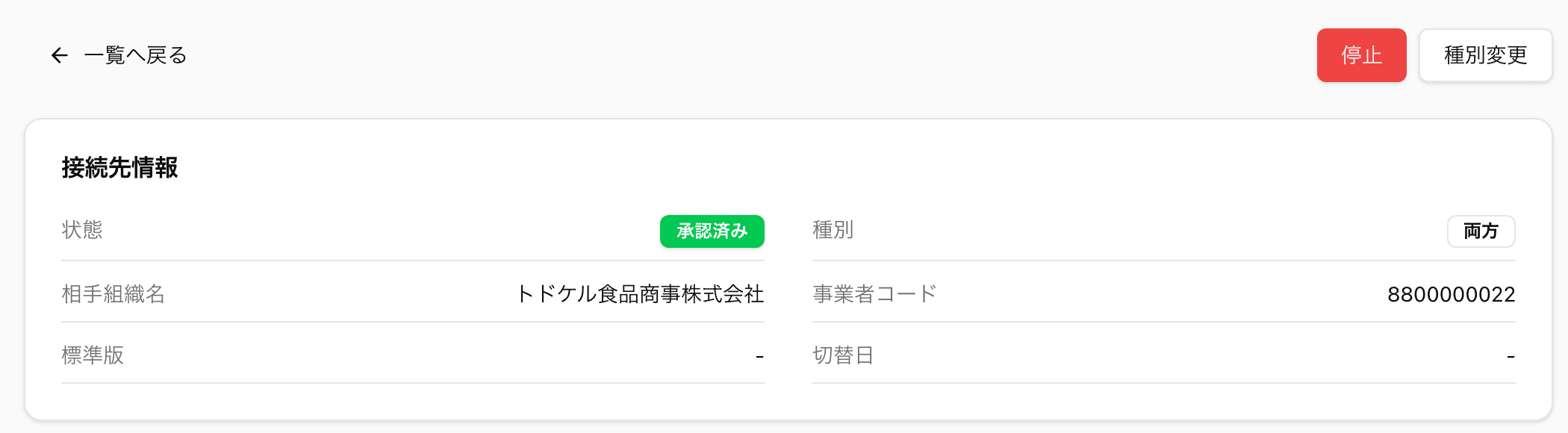
Connect with your partner organizations and exchange logistics information, such as shipping requests and receiving reports, as messages in the SIP logistics standard format.
Truly optimizing the supply chain requires the participation of small and mid-sized businesses.
That is why we offer it at a low cost that small and mid-sized businesses can afford.
SITUATION
A trading partner has asked you to exchange data through SIP Standard Logistics Messages.
No need for each company to set up its own platform for SIP Standard Logistics Messages. The monthly fixed fee covers use by up to 10 organizations, including your trading partners, and ScopteX handling the initial setup for you.
Replacing your current systems is not an option.
Enter data on screen, or read, write, and receive it from your other systems.
Every partner uses a different data format.
Data can be imported in your own format as is. You set up the field mapping on screen, and mapping converts the data into SIP logistics standard messages.
HOW IT WORKS
Once one organization requests a connection and the other approves it, the two can exchange messages. Your in-house systems are connected through mapping, which converts between formats.
Example organizations
Sending organization
Data from your in-house systems is imported in your own format as is and converted into the SIP logistics standard format.
Mapping conversionRegister the data to send as records.
The integration definition runs automatically on its schedule. When it is urgent, an organization administrator runs it manually.
Only newly registered records and records whose content has changed are sent, in the SIP logistics standard format.
Receiving organization
Received messages appear in the message list.
They are imported automatically according to the receiving integration definition.
Staff check the imported content as records.
The received content is converted into your own format and passed to your in-house systems.
Mapping conversionThe organizations in the diagram are examples. Both the sending and the receiving organization need to complete setup before messages can be exchanged.
FEATURES
The functions described in the app's operating manual (sections 2.1 to 2.15), in five groups.
01
Register your company code and request a connection to a partner. Once the partner approves, you can exchange messages.
MANUAL
02
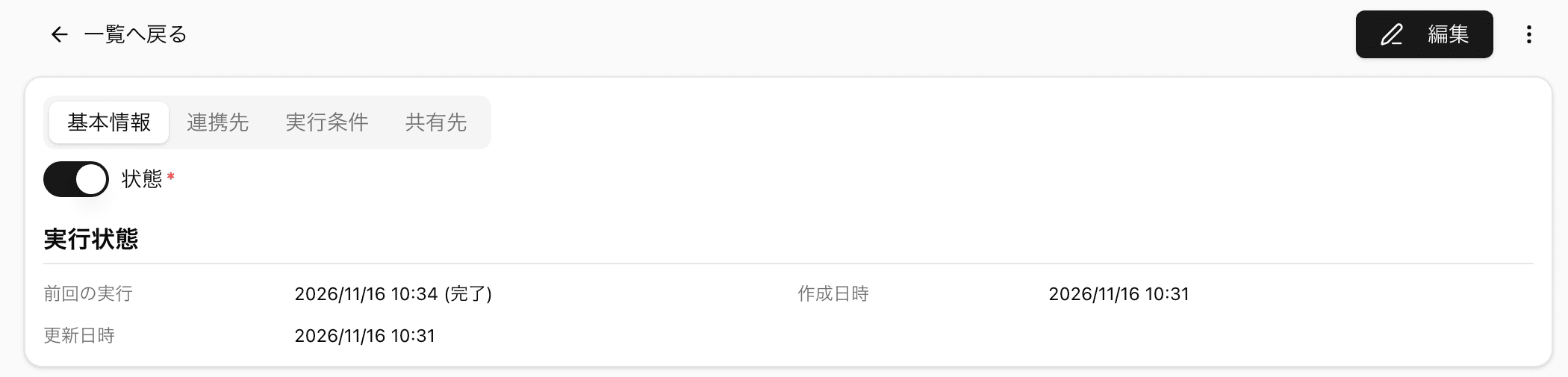
Create a place for the data of each message type, and set which data goes to which partner and when. For some message types, you can also set up import from CSV files.
MANUAL
03
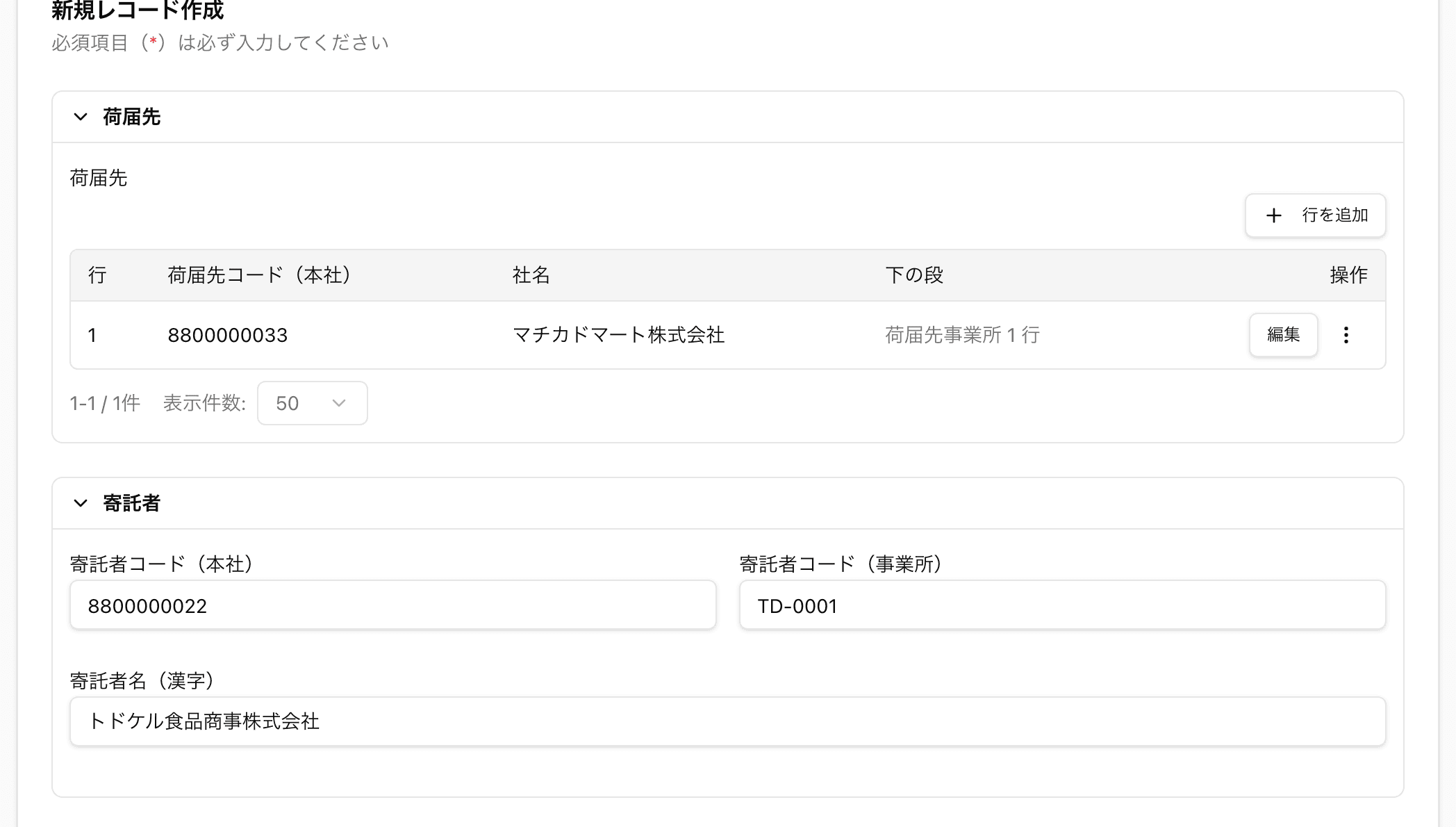
Register the data to send as records, and running the integration definition sends them to the partner. To correct what you sent, edit the original record and it is sent again as a correction.
MANUAL
04
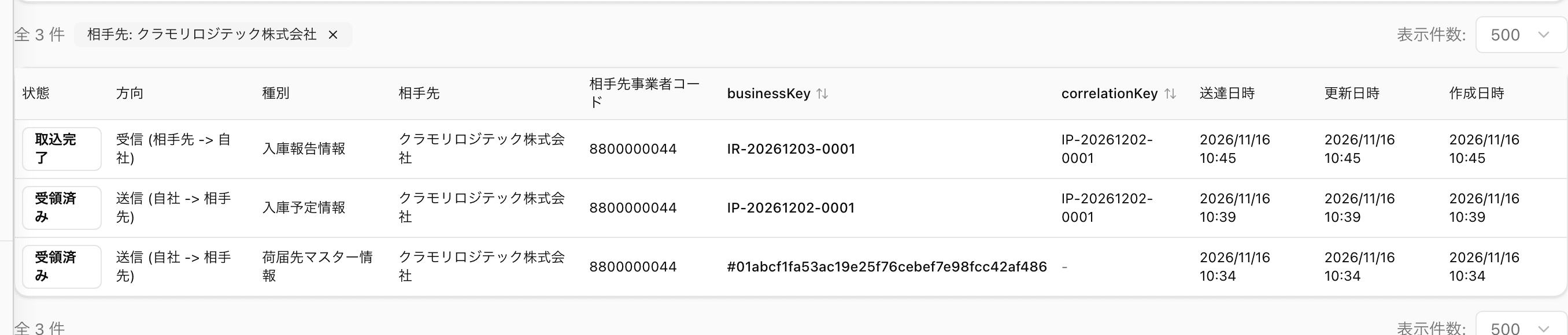
Check the status of sent and received messages in a list. You can also cancel messages, create and edit messages on screen, and publish messages to partners set as sharing partners.
MANUAL
05
Issue an API key, and your business systems can read and write records. You can also export and import records in bulk as JSON files in the standard message format.
MANUAL

Screens are from a demo environment and shown in Japanese.
GET STARTED
When you first start using it, you go through the steps below. ScopteX does the initial setup for your company.
STEP 1
Tell us what your partners are asking you to exchange and which systems you use today.
STEP 2
Confirm which partners to connect with and which message types (such as shipping requests and receiving reports) to exchange. The connections and setup you need depend on your type of business.
STEP 3
ScopteX does the initial setup for you.
STEP 4
When your staff register the data to send as records, it is sent automatically when the integration definition runs. You check the status of what you send and receive in the message list.
PRICING
Available as options
DATA
You can exchange messages only with partners whose connection has been requested and approved. While a connection is suspended, messages can be neither exchanged nor shared.
You can publish messages only to partners you have set as sharing partners and whose connection has been approved. Only the public fields of the header and details are published.
Going forward, our policy is to offer services based on anonymized analysis of accumulated data.
ROADMAP
VisionOur vision is to put the data you exchange through SIP Standard Logistics Messages to work in our other solutions too. This is not available yet.
We aim to use the shipment and receipt information you receive through SIP Standard Logistics Messages in demand forecasting.
We aim to use data from SIP Standard Logistics Messages in planning demand, receipts, and inventory.
CONTACT
Whether a partner has asked you to use SIP Standard Logistics Messages or you want to start with the systems you have, feel free to get in touch.